
Where AI automation saves a small business real hours
 Vėjas V. BalčiūnasFounder of WindStudio
Invoices, booking reminders, lead capture, reply drafts and weekly reports. Here is where automation really helps, what not to automate and how to start with just one thing.
AI automation sounds like something for large companies. In fact it helps most in a small business, where the same person serves customers, issues invoices and answers emails in the evening. Here is where automation really gives hours back and where it is better kept out.
Where automation saves time
Invoices
If you fill in every invoice by hand, copying the client’s details from an email, this is the first candidate. When an order or booking is confirmed, the system generates the invoice itself with the correct number, VAT and client details, and sends it by email.
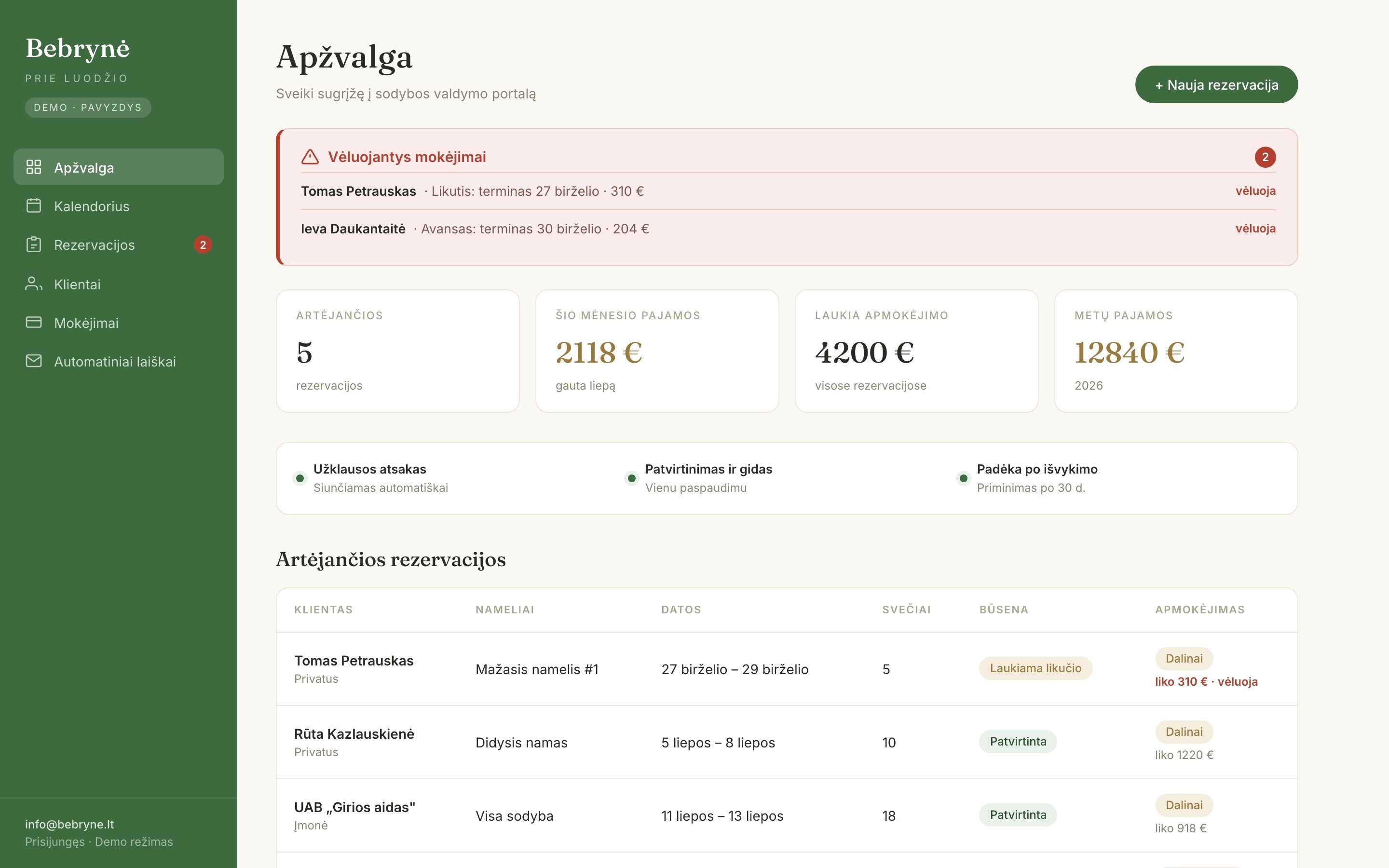
For example, we built a booking and invoicing portal for the homestead “Bebrynė prie Luodžio”. When a booking is confirmed, the invoice is generated automatically, and nobody has to fill it in by hand anymore.
Booking confirmations and reminders
A confirmation right after booking, a reminder the day before, information about arrival or parking. These emails are nearly the same every time, so a system can send them. The customer feels looked after, and you are not stuck on the phone.
Leads into a spreadsheet or CRM
Enquiries arrive from the website form, email and Facebook messages. Automation can collect them into one Google Sheets table or CRM with the date, contact details and what the person asked. No enquiry gets lost, and at the end of the week you can see who is still waiting for a reply.
Draft replies to common questions
Prices, opening hours, lead times, delivery. AI can write a draft reply based on information you prepared yourself. You read it, fix it if needed, and send it. What matters is that it stays a draft, not an automatic send.
Weekly reports
How many bookings, how many enquiries, how many invoices issued, what is still unpaid. Instead of pulling numbers from several systems, you get one email with everything on Monday morning.
All of these tasks share three traits. They repeat, they follow clear rules, and a person still sees the result, so mistakes are easy to spot. Those are the tasks worth handing to a system first.
What not to automate
- Complaints and sensitive situations. An unhappy customer needs a person, not a template.
- Price negotiations and custom offers. AI can help prepare a draft, but you make the call.
- A process that is not settled yet. If you do it differently every time, automation will only speed up the chaos. Sort out the process first.
- Things that happen once a year. Building the automation can take longer than the task itself.
One more thing. Anything sent to a customer in your company’s name should be checked until the system has proven it works without errors.
How to start small
- For one week, write down your repetitive tasks. What you do every day or every week and how long it takes.
- Pick one. The most frequent, most tedious one with clear rules. Usually that is invoices or confirmation emails.
- Start with the tools you have. A lot can be done with what you already use: Google Sheets, email, your website form. A new expensive app is rarely needed for the first step.
- Check the results for a few weeks. Until you are sure everything works correctly.
- Only then move on to the next task.
One automation that works well is worth more than five that half work.
Want to see which of your tasks you could hand over to a system? Email [email protected] or call +370 5 241 6817. We will start with one thing and see whether it really saves you time.